 ImplantPPC
What Does a Tooth Implant Look Like
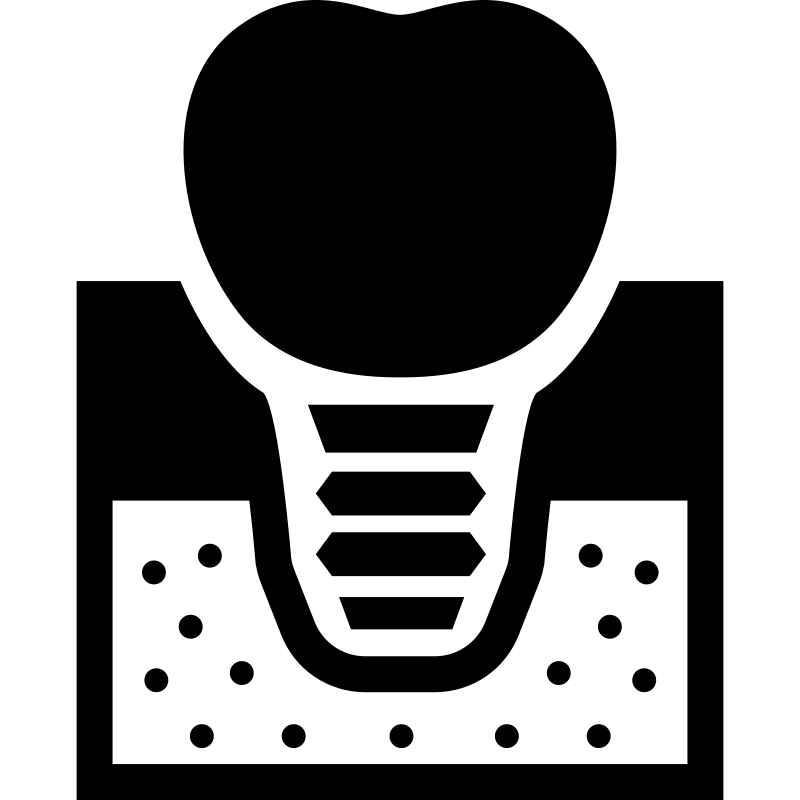
If you’ve been Googling “what does a tooth implant look like” because you want to *see* what’s happening before and after, you’re not alone. A lot of people search for photos or videos first, because the parts sound simple on paper—but the visuals are what really help. So think of this like a guided tour: you’ll spot the screw-like post under the gums, the connector piece called an abutment, and then the tooth-like crown once it’s finished.
The main parts of a tooth implant (post, abutment, crown)
Most dental implant photos make more sense once you know what the three big parts are and where they sit.
The implant post (the screw-like “root”)
An implant is often described as a small, screw-like post that acts like an artificial tooth root. In real-life photos, this part is usually under the gums, so you don’t see it from the outside once everything is healed.
If you do see it in an image, it often looks:
- slightly metallic
- shaped like a threaded screw
- positioned where the missing tooth root would go, embedded in the jaw bone
The abutment (the connector)
Under the gums, the implant doesn’t just end at the post. The abutment is the part that connects the implant post to the final tooth.
In surgery-style visuals, you can sometimes see the abutment area as a metallic connection point near the top of the implant.
The crown (the “actual tooth” you see)
The crown is the part that looks like a real tooth. In many implant visuals, the crown is described as an artificial white tooth with a shape meant to blend in.
Once everything is done, the crown is the piece you normally see in your mouth. It’s usually made to match the color and shape of nearby teeth, so it doesn’t look like a metal fixture.
What a tooth implant looks like before the crown (under the gums)
So what do people mean when they search “what does a tooth implant look like before the crown”? This stage is mostly about what’s happening *beneath* the gum line.
Here’s what you typically see in photos or visual descriptions:
- A screw-like post sitting under the gums (because it’s meant to be the artificial root)
- The gum tissue sitting over the top area where the crown will eventually attach
- Sometimes you’ll see a metallic connection area closer to the surface during the healing period or in surgical views
A key visual point: before the crown is placed, the implant setup often looks like “metal under gum,” not like a full tooth.
In some visuals that show the process, you might see artificial white teeth surrounded by pink plastic gum to represent how the final tooth will sit once the crown is made. But that’s more of a teaching/simulation look. The real “before crown” reality is usually mostly hidden under the gums.
What the implant looks like during/around surgery (metal frame and abutment connection)
If you’ve watched a “full dental implant video,” this is usually the part where things look most different from what you expected. Surgery and close-up visuals can make the setup look like hardware.
In many described visuals, the implant system is shown:
- mounted on a metal frame
- attached to the implant abutment
That means you might see a setup where multiple parts are held in place so the viewer can understand how the pieces connect. Around surgery, the key “what you’re seeing” points are:
- The implant post is positioned where the tooth root goes
- The abutment connects to the implant post
- There’s often a visible connection area at the gum level (since that’s where the crown will eventually attach)
Also, don’t be surprised if some images show plastic-looking pink tissue. That’s often used to mimic gum tissue for clarity in visuals.
What a tooth implant looks like after the crown (natural-looking tooth)
After the crown is placed, the implant usually stops looking like “a metal screw job” and starts looking like a normal tooth.
What you’ll notice in after-crown photos
- A natural-looking tooth-shaped crown that’s white
- The crown matches the color and shape of nearby teeth (so it blends in)
- The gums look like gums, not like hardware is sitting on top
The most important thing for visual seekers: by this stage, the parts you saw before—post and abutment—are no longer the main visual focus. They’re underneath or hidden, and the crown is what takes over your view.
Single-tooth implant vs other implant setups: what changes visually
A lot of people also search around single-tooth implant cost, or they’re trying to figure out whether their situation looks like the “single tooth” examples or something bigger.
Visually, here’s how setups tend to differ:
Single-tooth implant
You’re replacing one missing tooth. In photos, you usually see:
- one implant post under the gum area
- one crown on top that matches its neighbors
This is often the simplest “after” look: a single crown that blends in next to natural teeth.
Multi-tooth or full-arch style setups
In bigger treatments (like full mouth concepts), the visuals can look more complex because you may see:
- multiple implant posts
- a framework or connections that help hold teeth in place
That’s where “metal frame” visuals show up more often. The main idea stays the same—the implant posts act as artificial roots—but the number of parts and how they connect can make the surgery visuals look more “system-like” than “one-tooth-only.”
If you’re trying to compare photos, try to find images that match your type of setup. A single-tooth result won’t look the same as a full-arch result.
What the “access hole” can look like on top of the implant area (and how it’s sealed)
This is one of those details that shows up in some visual snippets and then confuses people who are scrolling fast.
Some descriptions note there can be a small hole on top used to access the implant abutment screw. After that access is done, it’s said to be sealed with composite.
So in pictures (especially in close-ups), you might notice:
- a small opening or spot where the connection was accessed
- a filling-like material that covers it afterward
You don’t typically see this in the final “after” tooth photos, because by then the crown covers what needs to be covered.
What a failed implant picture might show (what to look for, without guessing causes)
People search “pictures of dental implants that failed” a lot, usually because they’re worried or dealing with problems and want to compare visuals. The tricky part is that a “failed” picture can look different from case to case.
So instead of guessing causes from a photo (which is risky), it helps to know what people often look for visually, such as:
- changes around the gum area near where the implant sits
- anything that looks off compared to a normal, healed crown placement
- situations where the crown doesn’t look stable or properly seated (in the case of visible issues)
But it’s still not a good idea to diagnose yourself from a photo alone. Even if something looks “wrong,” you can’t reliably tell the cause just by viewing someone’s results online.
If you’re worried about your own implant, the best move is to talk to your dentist and ask them to compare your situation to real photos from your specific implant type.
Tooth implant side effects and downsides: what people worry about when they see results
When people search tooth implant side effects, they’re usually looking for the downside side of the story. From the search snippets you’ll see, the pattern is more about *people wanting to know risks* than about a single, universal list.
Here’s the safe way to think about it without making claims you can’t verify:
- Everyone heals differently.
- Problems can involve discomfort or healing issues, and sometimes they can affect how things turn out.
- You shouldn’t assume what happened to someone else will happen to you.
If you’re looking at photos and videos—especially “before and after” posts—remember that you’re mostly seeing the final look, not every step of recovery. A good conversation to have with your dentist is: *What are the most common downsides for my case, and what should I watch for while I heal?*
How to interpret dental implant photos and videos safely (what’s real vs staged angles)
This is where most image-seekers get tripped up. Not every photo or clip is showing the same thing—or it might be showing it from an angle that hides key details.
Here are a few ways to interpret what you’re seeing more safely:
Match the stage to the visuals
A lot of confusion comes from mixing stages.
- Before the crown: expect mostly “metal under gum,” like a screw-like post embedded in the jaw. You might see an exposed connection area in surgical views, but you won’t see a full tooth yet.
- During/around surgery: expect hardware-like visuals, often with an abutment connection and sometimes a metal frame in clearer instructional images.
- After the crown: expect a tooth-shaped crown that looks natural and blends with nearby teeth.
Watch for staged teaching visuals
Some images show artificial white teeth with pink plastic gum. That can be helpful for learning, but it may not match the look of a real clinical step-by-step moment. If the gum looks like plastic, it may be a model or a teaching setup.
Be careful with “failed implant” comparisons
Photos can be edited, cropped, or shot with different lighting. And “failed” can mean different things legally or medically, depending on the case. Use those images for awareness—not for self-diagnosis.
If you’re watching a “full dental implant video”
Look for what’s actually in the mouth area at that moment:
- Do you see the screw-like post or abutment connection?
- Is the crown already attached?
- Is the gum tissue represented by real healing or by a model/pink material?
That will tell you whether the clip is showing the real procedure stage you’re comparing.
A quick FAQ for people searching for visuals
What does an actual dental implant look like?
In simple visual terms, it’s usually a small, screw-like post under the gums that acts as the artificial tooth root, plus an abutment under the gum line, and then a white crown on top that matches nearby teeth.
What does a dental implant look like before the crown?
Before the crown, the implant setup is typically mostly hidden. You may see a metallic screw-like post under the gums in surgical views, and sometimes you’ll see the connection area near where the abutment sits—but you won’t see a completed tooth crown yet.
What’s the downside of a tooth implant?
People often look up “the downside” or tooth implant side effects because they want to understand risks and possible problems. Since the exact risks vary by person, the best source for your specific situation is your dentist—especially about what could go wrong and what symptoms should be taken seriously.
If you’re comparing options or looking at implant photos, talk with a dentist about which implant type matches your situation and ask to see before-and-after images for that exact setup.